9.1Step 1: Wiring
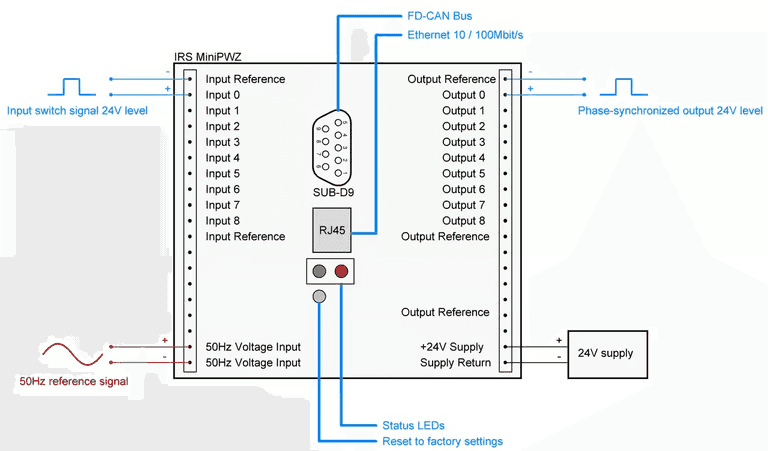
- The signals to be connected depend on the system environment; the following list represents the minimum.
- Power supply (+24V Supply/Supply Return)
- Reference signal (50 Hz Voltage Input)
- An unsynchronized input signal (Input 0/Input Reference)
- A synchronized output signal (Output 0/Output Reference)
- Ethernet via RJ45 connector (for configuration via the WebServer)
9.2Step 2: IP Configuration
9.2.1WebServer
We recommend the web interface for setting the Ethernet configuration; see also the previous chapter WebServer.
9.2.2DiscoveryTool
- Select mDNS (Multicast DNS, a protocol for translating IP addresses).
- Start the module search.
- Select the module you want.
- Open the network configuration menu.
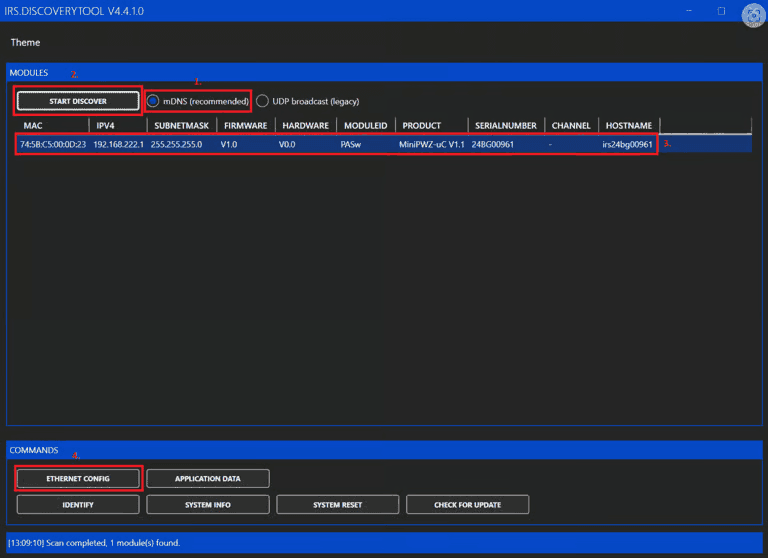
Clicking Update writes the changes to the microcontroller and restarts the controller. The configuration window then closes automatically.
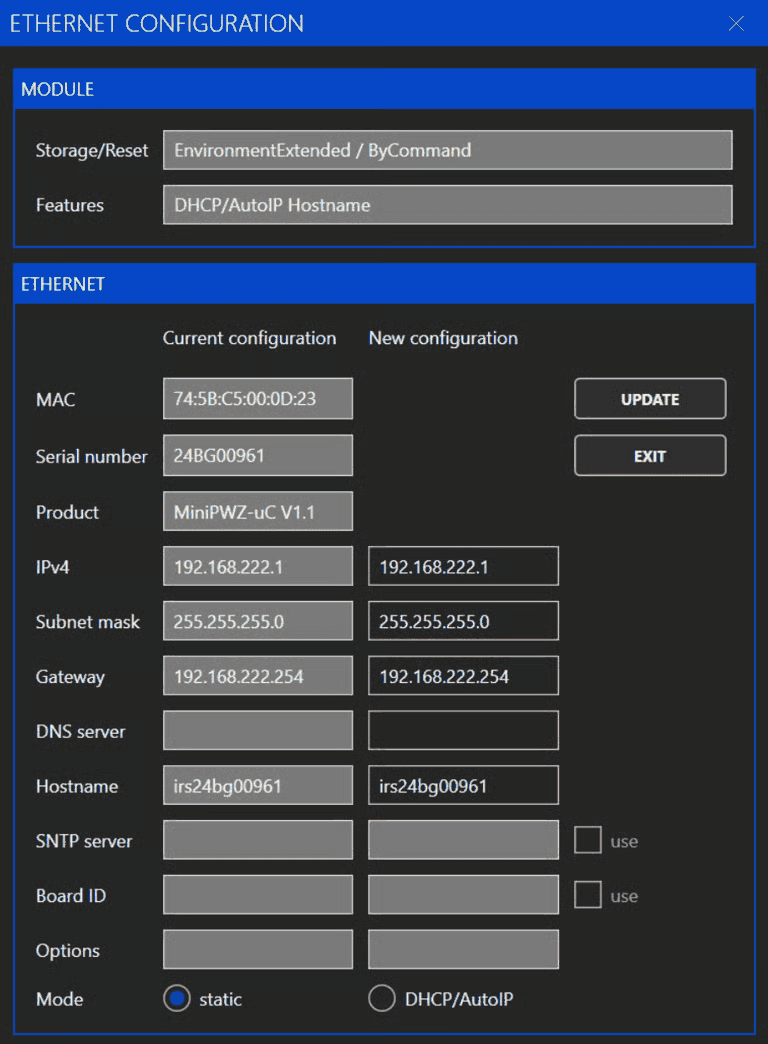
- DNS server: not required for this module
- DHCP/AutoIP: if no DHCP server is available, the module switches to AutoIP (you can find the assigned address by running the search again)
9.3Step 3: Miscellaneous
We recommend determining the delay times as described in the chapter Setting the Delay Time and entering them accordingly.