The Software for PC is mostly for demonstrations and test purposes only, however many of its components (vi’s) can be used also in own software implementations. This makes the developing of customer applications faster and easier.
Note: The PC software included in this project is not suitable for direct FPGA control without using the real time system!
4.1Execution of demo software
To start the software there are two possibilities available. The first approach is to open the desired top vi (“PC_ResSi_Top.vi” or “PC_RVDT_Top.vi”) and push the run button. The second possibility is to build the predefined build specification (if not already done) and then to start the compiled executable located in sub folder “PC_EXE”. The advantage of second method is that it needs just the run time installed on the target machine.
4.2Resolver simulation
Not described in manual V3.0. See Resolver Mode Software (from manual V2.2).
4.3RVDT simulation
4.3.1Demo & Test GUI

- Basic configuration
- Target IP / Hostname -> RIO target address
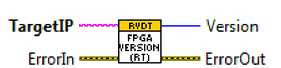
- FPGA Versions (Date) -> FPGA compile date (Format: YYYYMMDD)
- Channel Number -> Current selected channel to control
- Angle Control
- Angle [°] -> Desired simulation angle in degree
- Set / Update -> Start moving to position defined by “Angle [°]”
- Act. Angle [°] -> Actual simulation position in degree
- Device Setup
- Set Config. -> Write configuration to target
- Get Config. -> Read current configuration from target
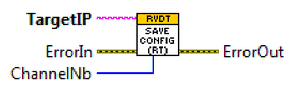
- Save Config. -> Save current configuration permanently to target flash memory
- Max. Angle [°] -> Maximum angle swing (see Control interface)
- Angle Speed [°/sec] -> Moving speed to new angle position (see Control interface)
- Amp. Transfer Factor -> Transfer factor between excitation signal and differential output signal
- Calibration -> Calibration settings (see Control interface > RT_PC_RVDT_LUT_Calibration.ctl)
- Application Control
4.3.2VIs for integration into user application
There are some vi’s for communicating with the real time system. These vi’s can be used in any user application:
- PC_RVDT_FPGAVersion.vi -> Read the FPGA compilation date
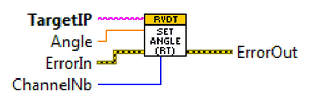
- PC_RVDT_SetAngle.vi -> Set new simulation angle
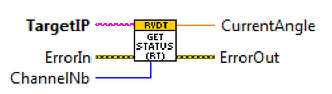
- PC_RVDT_GetStatus.vi -> Read current status (actual angle)
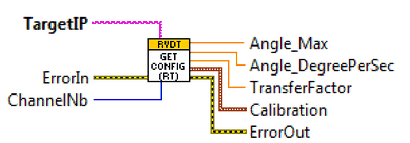
- PC_RVDT_GetConfig.vi -> Get current configuration
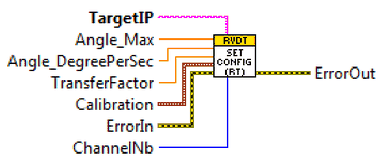
- PC_RVDT_SetConfig.vi -> Set a new configuration
- PC_RVDT_SaveConfig.vi -> Save configuration permanently to flash memory (boot config)