6.1Connection overview
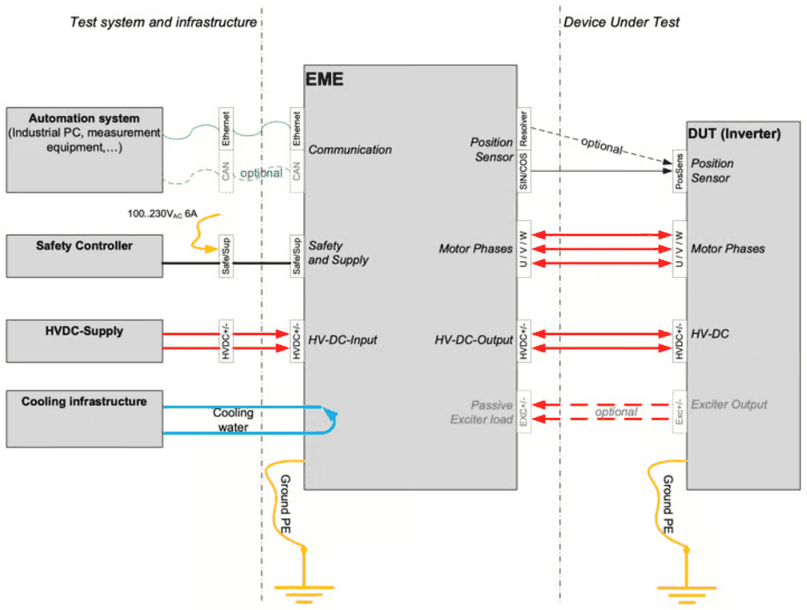
The following figure illustrates the connections which need to be established from and to EME. These are:
- connections to the overall test system (left side in the picture).
- connections to the inverter under test (right side).
6.2Water cooling
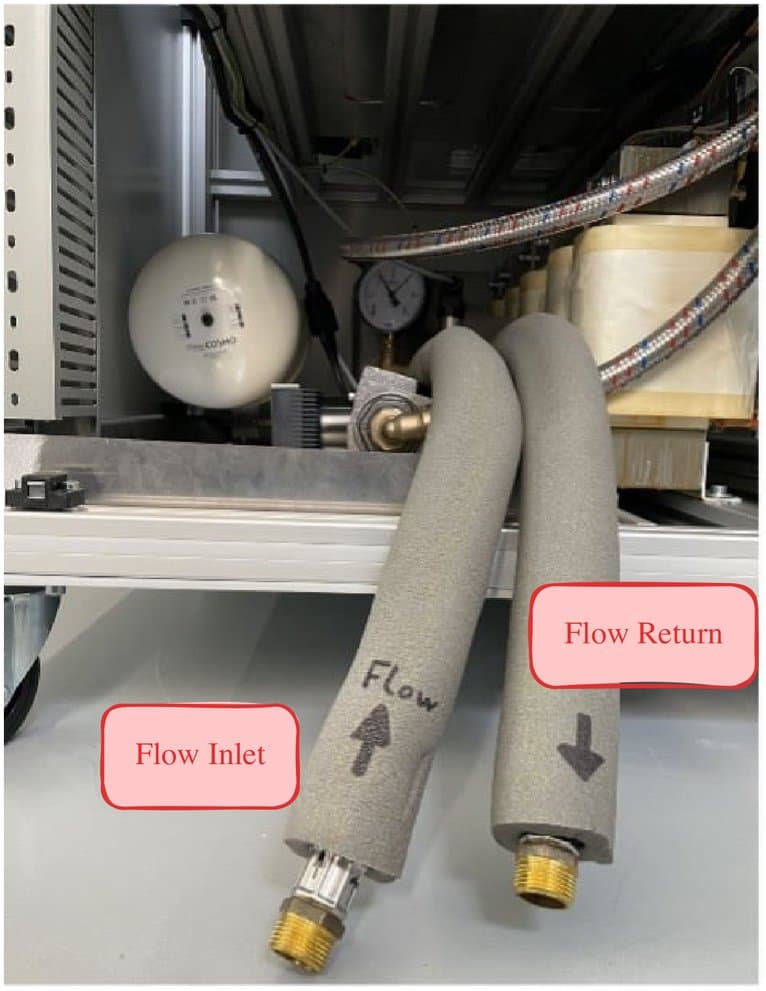
The active motor simulation is using water cooling.
An inlet temperature of about 15°C is recommended (10…25°C). Keep cooling water clean, filters are recommended to avoid remnants in the heat exchanger which reduce the cooling capacity.
A flow limiter should be added to define the water flow. Flow rate is depending on average and peak power. Typical values are 5…30l/min. Please monitor the EME temperatures as shown in EME internal temperatures.
Make sure that cooling water is only applied when necessary to reduce the amount of condensing water.
6.3Test system connections
For proper operation the active motor load requires connections to the overall test system. The figure in Connection overview illustrates the test system connections on the left side, while red marked wires contain hazardous voltages. The blue marked lines correspond to the cooling tubes.
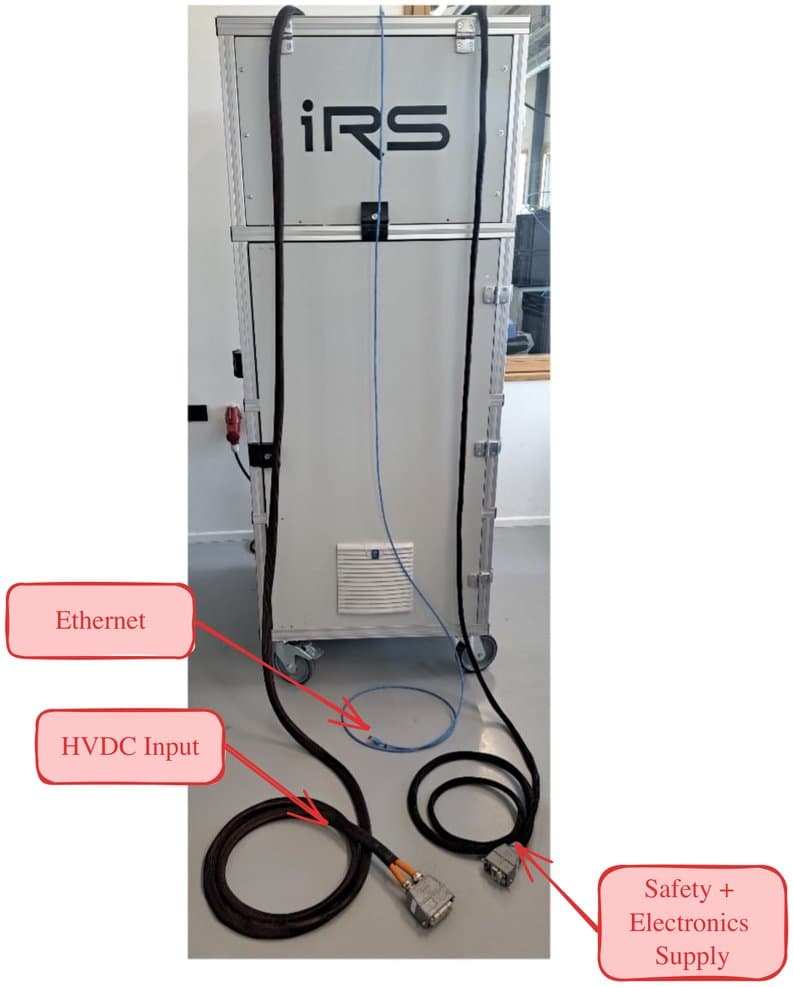
Connections are designed with modular Harting connectors as far as possible to make sure that no wrong connections can be established. Furthermore, the same connectors may be used for different international standards. Connector counterparts are delivered together with the system.
All connections are available at the top of the cabinet.
Safety + electronics supply
6.3.1HV-DC from Power Supply
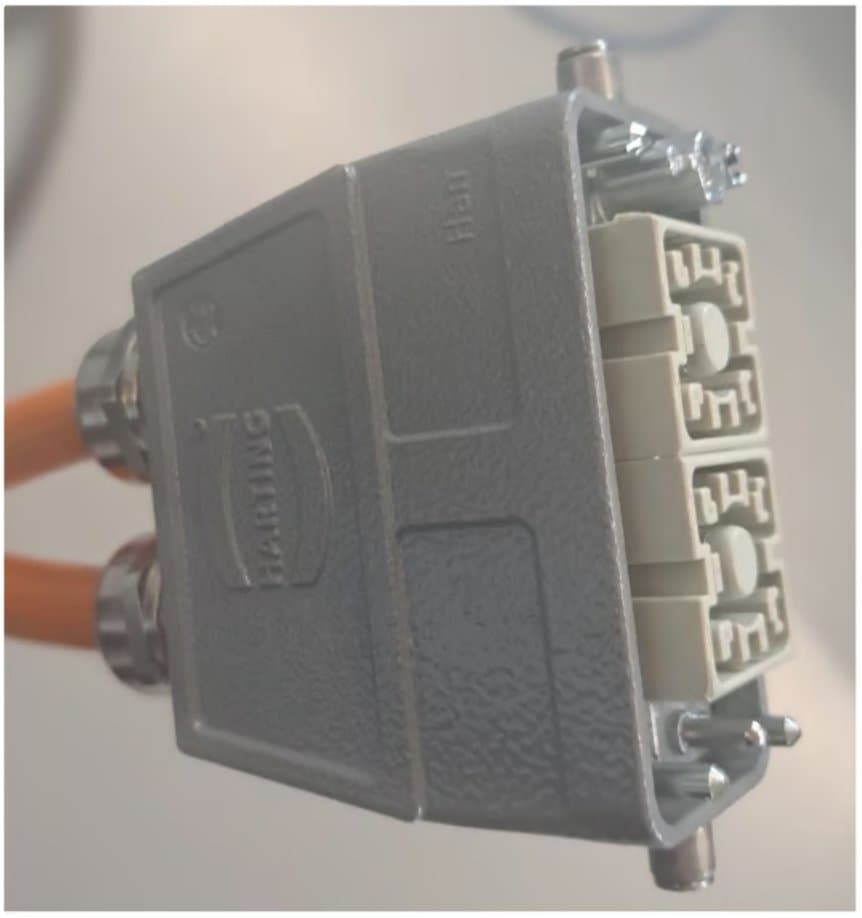
The following Harting HAN-connector is applied for connection to the HVDC power supply.
Pinout is as follows:
- Pin1 HVDC**+**
- Pin2 HVDC**-**
Both male and female connectors are protected against direct contact. This is necessary because the active load buffer capacitors may be charged even when disconnected.
The connector is rated for 200A/1kVDC. Thus, use power supply below this rating.
6.3.2Safety and electronics supply
The following Harting HAN-connector is applied for connection to the electronics supply and the safety interface. The pinout is as follows:
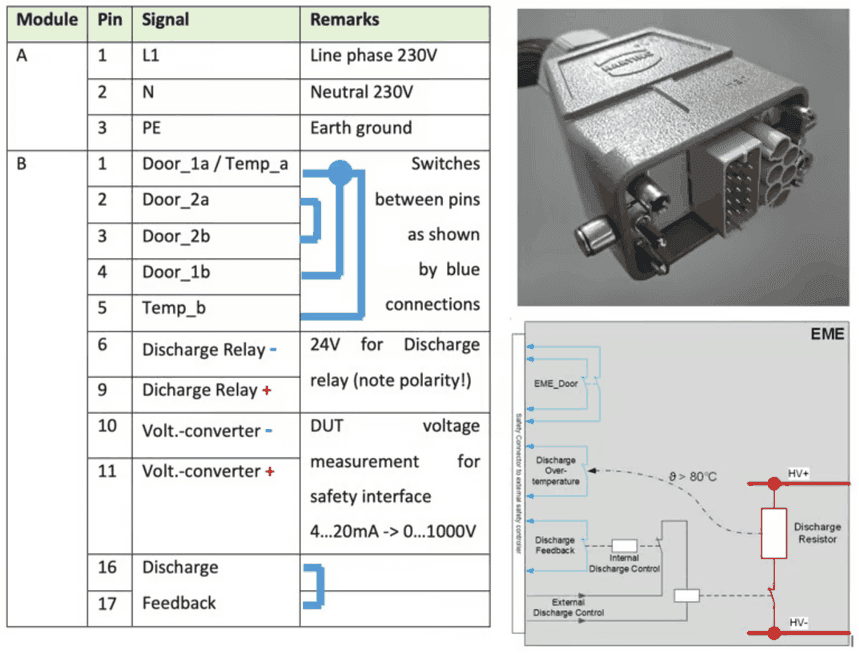
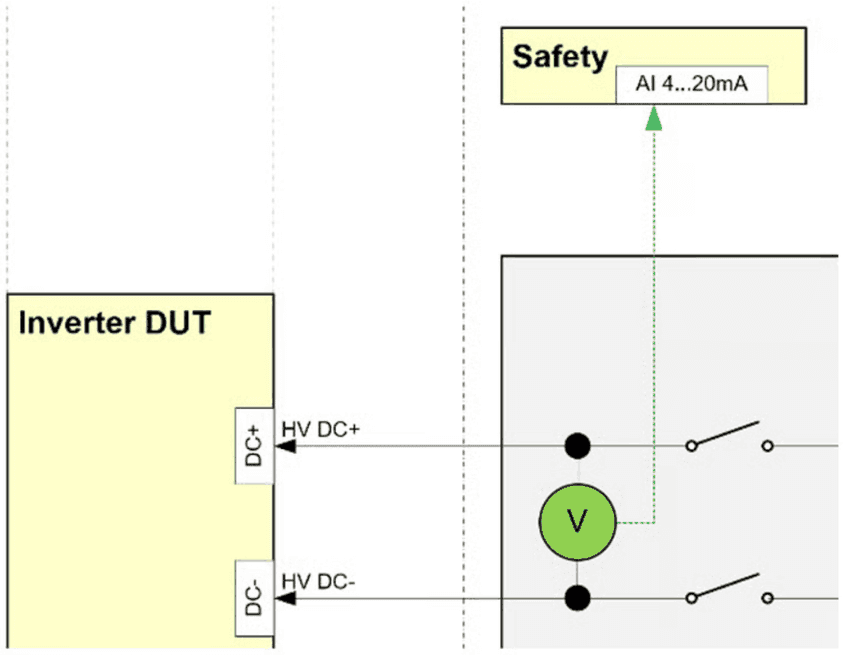
On the right side the functionality of the safety interface is illustrated, both for switches and the analog output for DUT voltage measurement.
6.3.3Ethernet communication
Use the Ethernet cable with RJ45 connector for communication with a Windows-PC.
6.3.4CAN communication
Currently not applied in software.
6.4DUT connection
After the tester internal connections are ready, the wiring to the DUT needs to be established. The figure in Connection overview illustrates the DUT connections on the right side, while red marked wires contain hazardous voltages. The blue marked lines correspond to the cooling tubes.
6.4.1Position Sensor Simulation
SIN/COS Simulation
| Pin | Signal | Pin | Signal |
|---|---|---|---|
| 1 | GMR_SIN_P | 7 | AMR_COS_P |
| 2 | GMR_SIN_N | 8 | AMR_COS_N |
| 3 | GMR_COS_P | 9 | -- |
| 4 | GMR_COS_N | 10 | -- |
| 5 | AMR_SIN_P | 11 | -- |
| 6 | AMR_SIN_N | 12 | GND |
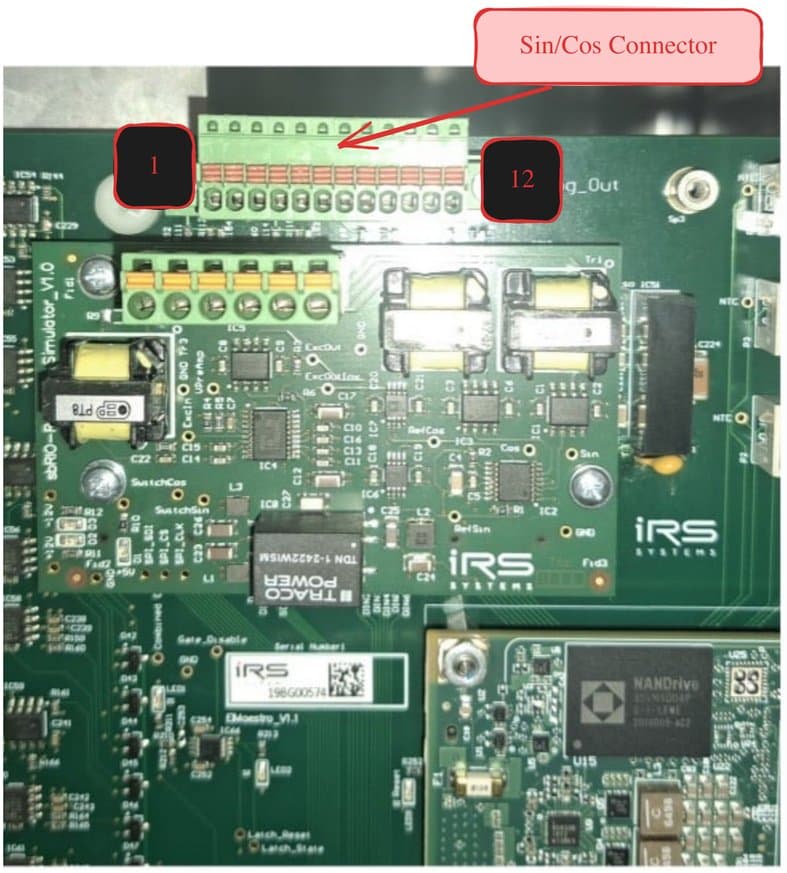
Please refer to SIN/COS generator for functional description
Resolver Simulation
| Pin | Signal |
|---|---|
| 1 | SIN+ |
| 2 | SIN- |
| 3 | COS+ |
| 4 | COS- |
| 5 | EXC+ |
| 6 | EXC- |
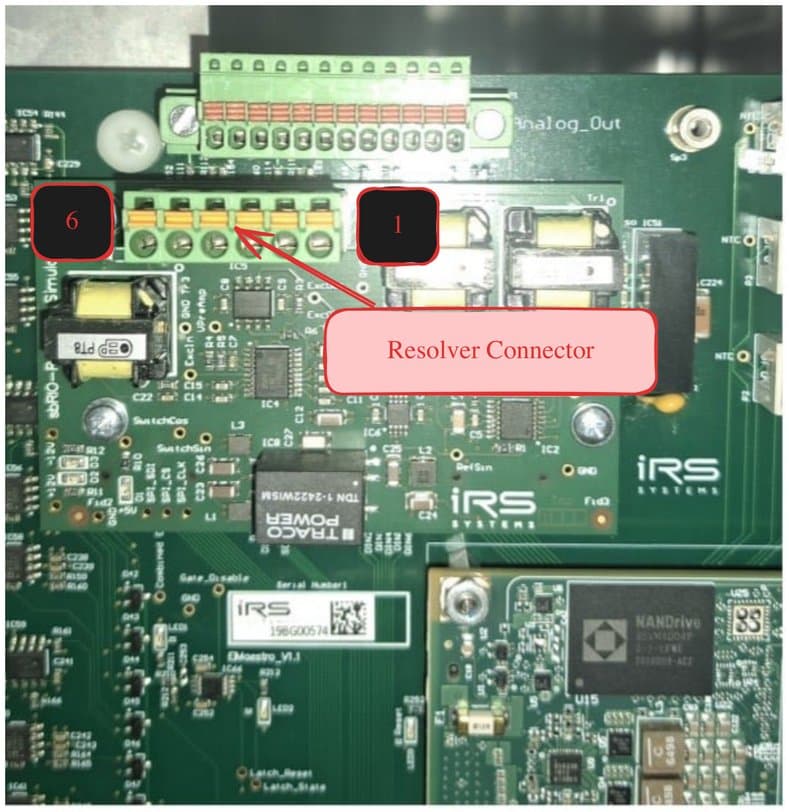
Please refer to Resolver simulation for functional description
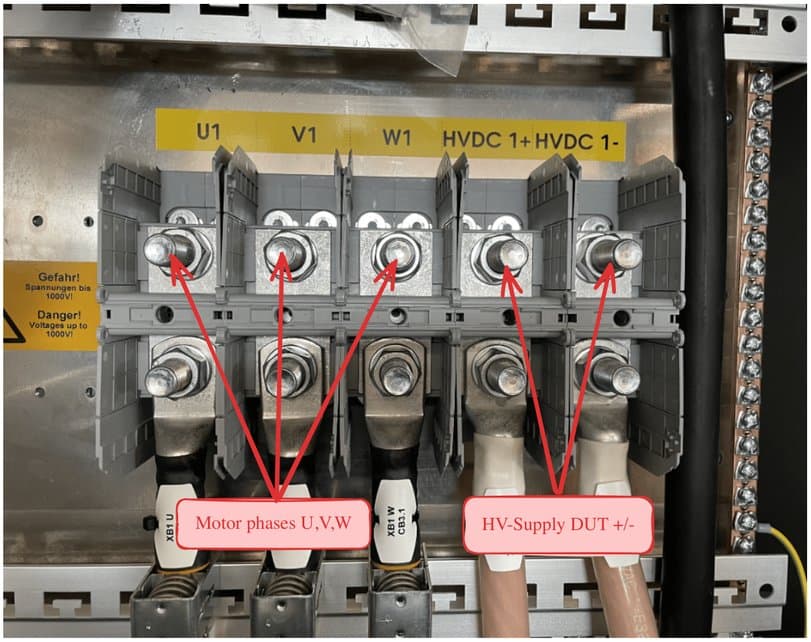
6.4.2DUT connection of the 3 motor phases, HV-DC and optional exciter
Motor phases, HV-DC supply and exciter wires are connected according to the picture below. Preferred, the cables are marked with the following labels to make sure not to mix them up:
- U V W
- DC+ DC-
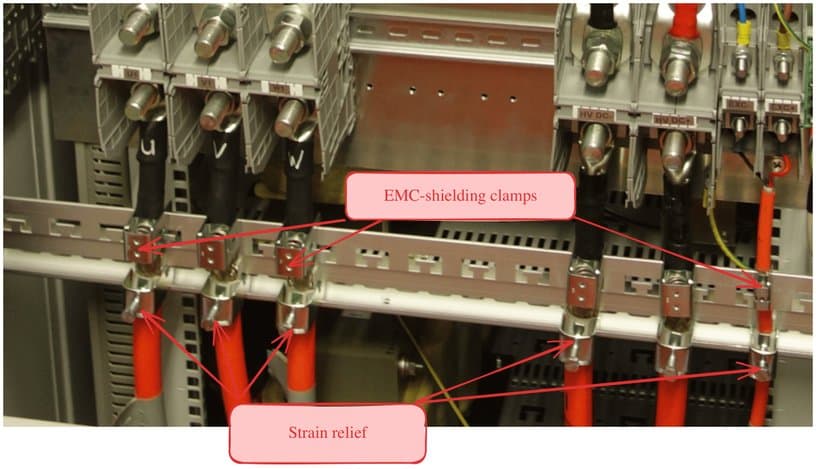
Always apply shielding clamps and strain reliefs similar to the following picture:
Since there are several wires for three DUTs, it is a good choice also to mark the wires with DUT1, DUT2, DUT3.
Additional to the EMC-shielding clamp, a strain relief has to be mounted in the lower part of the shielding rail. The same procedure with shielding clamps and strain relief holds for the Exciter connections.
6.4.3EMC issues
Since the DUT inverter may be a source of electrical noise, measures need to be taken to reduce emissions from the DUT. Most emissions are radiated over the motor phase cables. Thus, special care needs to be taken about:
- Proper Shielding of motor phase, HV-DC-, and Exciter-cables
- Proper grounding of the DUT and test system.
- Positioning of power and signal cables
When operating the system, it is crucial that all power cables are properly shielded on BOTH ends. I.e.
- At the emulator connection
- At the DUT-housing
Use shielding clamps at the emulator connections:
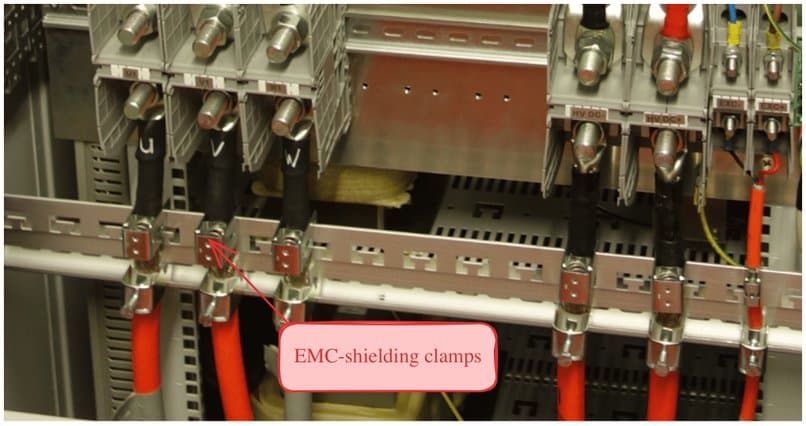
Make sure that all power cable shields are properly connected to the DUT housing by metal bushings:
To make sure, that the DUT housing has a proper ground connection, establish an additional ground wire to a good potential earth Ground.
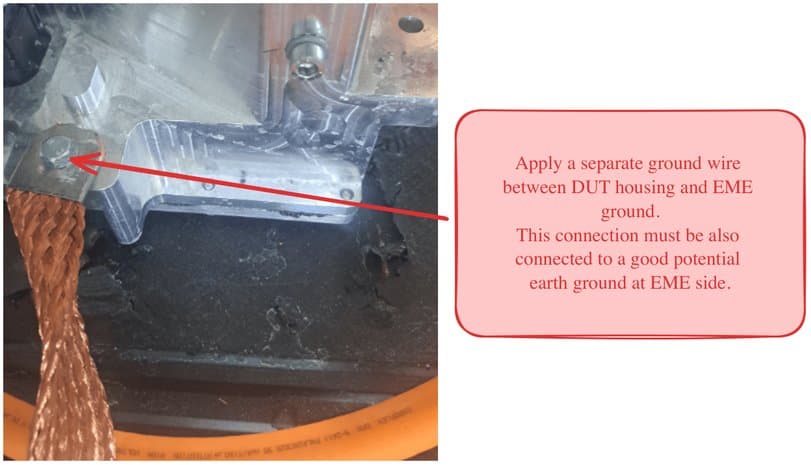
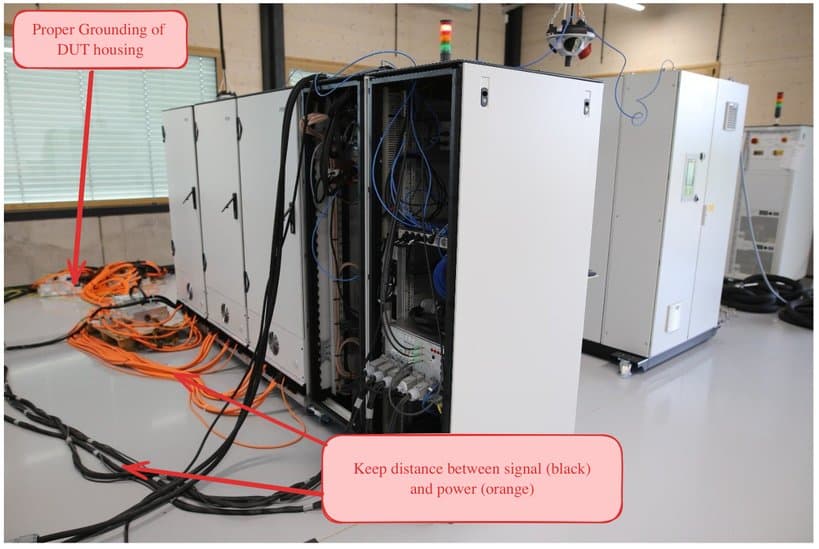
And keep as much distance as possible between signal cables and power wires to reduce cross interference. If there is not enough space, avoid routing them in parallel, prefer orthogonal orientation.