Diese Seite gibt es noch nicht auf Deutsch, daher wird die englische Fassung angezeigt.
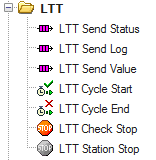
TestStand comes along with a set of default step types, like action, if-statement, numeric limit test and so on. It also provides the possibility to create custom step types.
Sync
Send Status
(The file is empty)
Send Status
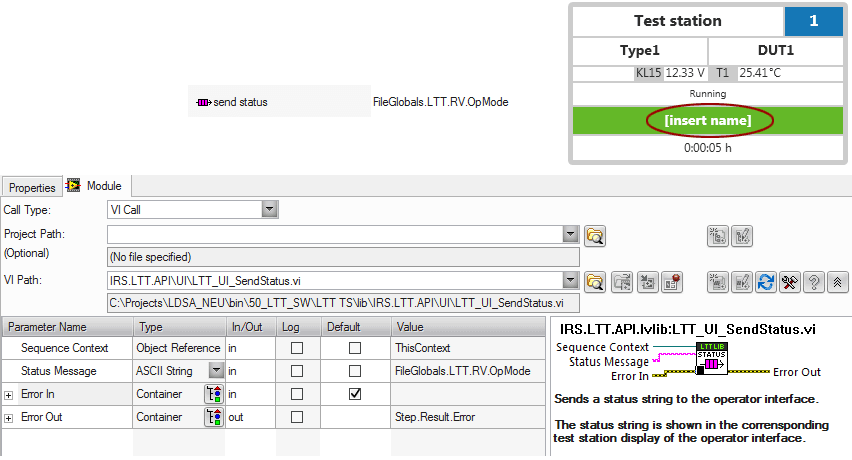
With the LTT Send Status step type you are able to send an arbitrary string to the station display.
Send Log
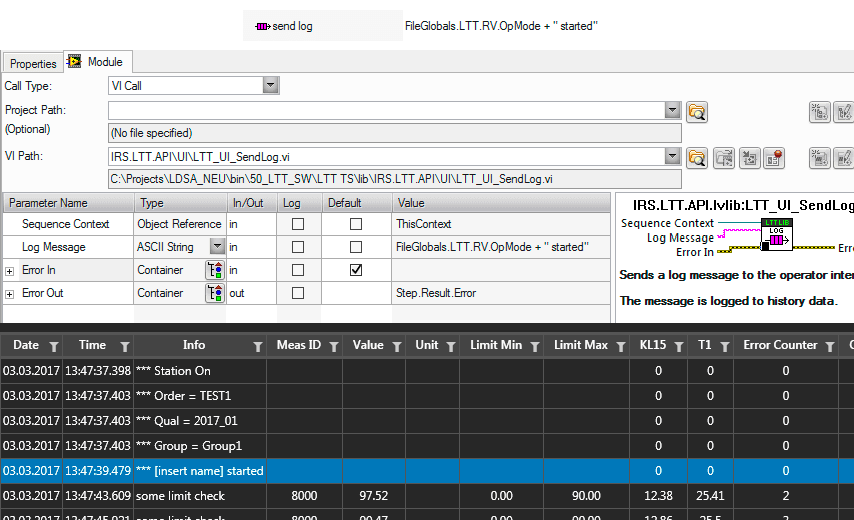
With the LTT Send Log step type you are able to send an arbitrary string to the history file.
Send Value / String Value
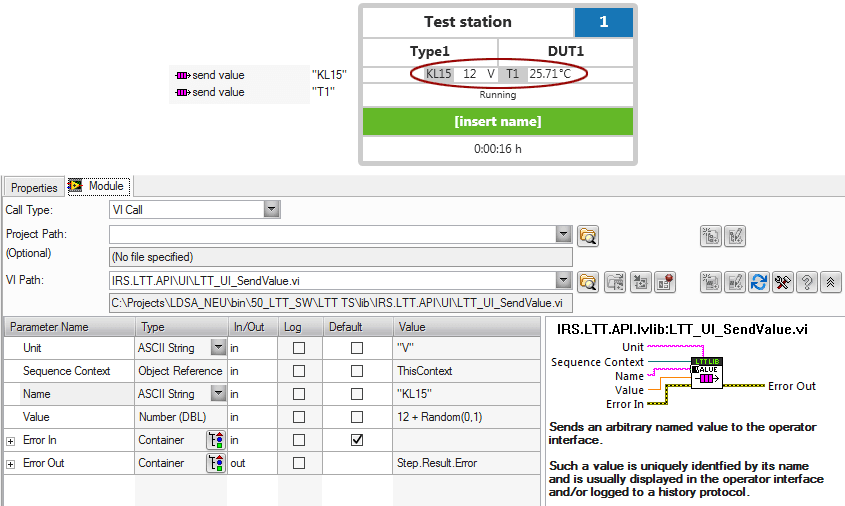
With the LTT Send Value step type you are able to send one or more named values to the station display. We also call those LTT runtime values.
For send value to work correctly it is important to name the values consistently throughout the whole testplan.
Optionally, you can configure one or more of those values as additional history columns.
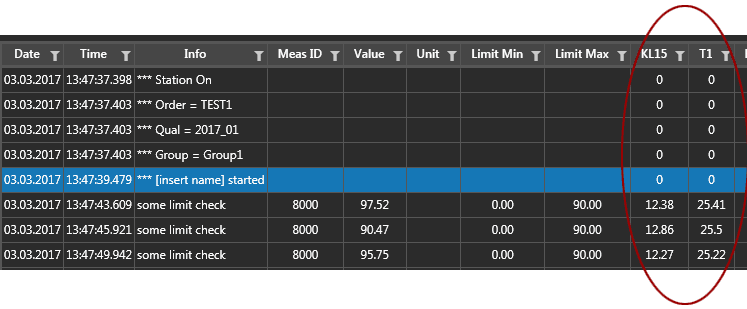
To do so, you need to edit the history configuration file and add a custom column for each runtime value you want to have as a history column.
It is important that the custom column name is exactly the same as the value name used in this step type.
In combination with history column configuration there are 3 different usage scenarios for LTT runtime values possible:
| Scenario | Outcome |
|---|---|
| Without custom column entry | Values are displayed in station display only. |
| With custom column entry | Values are displayed in station display and history file. |
With custom column entry (ShowInStationPanel="false") | Values are displayed in history file only. |
Cycle Start / End
The LTT Cycle Start and LTT Cycle End step types should be placed at the setup / cleanup of each operation mode sequence. That way the cycle counter will increment by one each time the operation mode sequence has passed through.
Of course, when the cycle counter should increment depends on your concrete testplan. For example, if your operation mode sequence never leaves (not recommended) the cycle end call should be placed inside the loop of your operation mode.
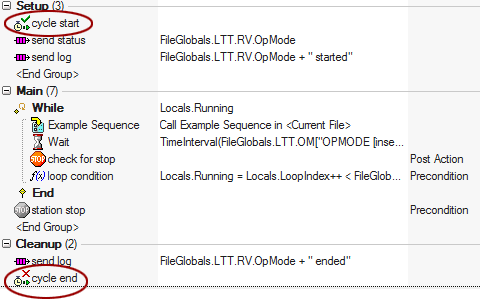
The cycle counter is available as a TestStand variable: FileGlobals.LTT.RV.Cycles.
The cycle counter is also added as a separate history column per default.
Only cycle end is needed to increment the cycle counter. You only need to place a cycle start step at the beginning of your cycle if you configure data recording to record every x minutes. Read more about data recording.
Check Stop
In your testplan you can place a LTT Check Stop check wherever you want. It checks if there is a stop request from the user interface, initiated by the user pressing F1 or F8. If this is the case, the step will jump to the cleanup section of the currently executing TestStand sequence.
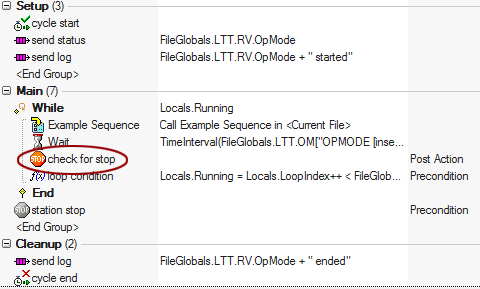
A check for stop is necessary to react to user stop requests and TCC value changes. By default, the only check for stop is done in MainSequence. This means:
- The test execution will only stop after an operation mode sequence returns, which can take a long time or not happen at all.
- The testplan can only react to a TCC value change when the current operation mode is finished.
Both may or may not be desired behavior.
Be aware that LTT Check Stop only jumps to cleanup of the current sequence. If you are in some nested sequence you will need to place a LTT Check Stop in each sequence all way up to your operation mode sequence entry point.
Station Stop
In your testplan you can place a LTT Station Stop whenever you want to actively stop the test execution of this station. Of all stop criteria, this is the only active one, where you, the testplan developer, decide when to stop. That's also the reason why a station stop is usually accompanied with a step precondition.
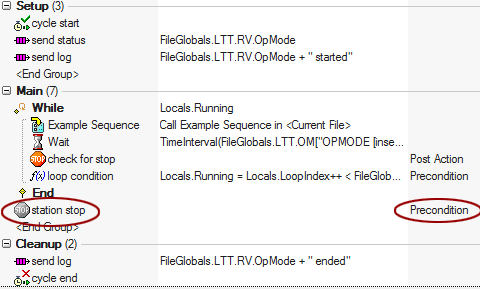
Normally, there is rarely a need to actively stop a test from within the testplan. However, if you do so, be aware that the station stop does the same as if a user would have pressed F1 or F8. You still need a check for stop step hierarchy to actually stop the execution.