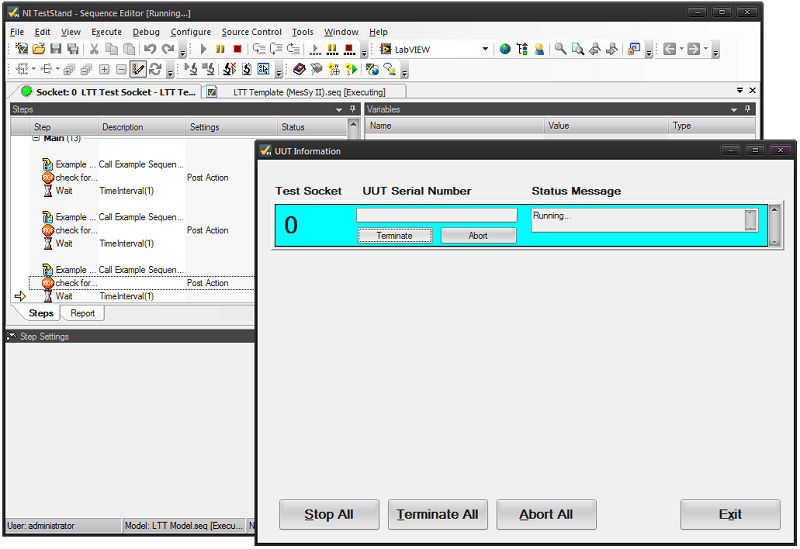
TestStand stores its sequences in so called sequence files. A sequence file usually has a so called process model attached. TestStand ships with 3 standard process models: sequential model (default), parallel model and batch model. In TestStand the normal sequence file is also called client sequence file, whereas the process model is called process model sequence file. For the LTT we call the client sequence file testplan. The testplan represents the project specific collection of sequences.
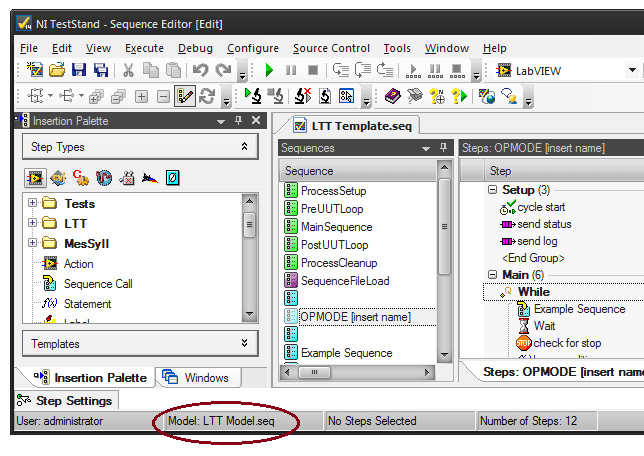
Each LTT testplan needs to have the LTT process model assigned. It is located at
\50_LTT_SW\LTT TS\model\LTT Model.seq. Do not modify the LTT process model as it gets overwritten by the next update.
The LTT process model specifies the frame sequence for each LTT testplan. It determines the order, in which each of those standard sequences are called and also provides some execution logic, initialization, error handling and so on. The LTT process model is the same for every LTT testplan, hence it is not project specific.
The LTT model is derived from the standard TestStand parallel model. It is therefore able to handle multiple DUT's in parallel. The LTT model also contains features of the standard TestStand batch model.
When running multiple DUT's in parallel, you need to be aware that parallel execution has some limitations / drawbacks.
- You cannot access hardware simultaneously, which exists only once for all DUT's. Therefore you need some kind of locking to make sure that the hardware is accessed serially.
- Since parallel DUT's run independently, some are faster than others. At some point in your testplan you might need to wait for all DUT's before you continue. You will need this kind of synchronization especially if you want to change the voltage level of your power supply, if it supplies more than one DUT.
Use the SYNC sequence to change your DUT's voltage level and/or wait for the other DUT's to continue.
Order of Execution
See chapters predefined sequences, operation modes and process model for a better understanding.
When starting a LTT testplan it follows the following basic order of sequence calls.
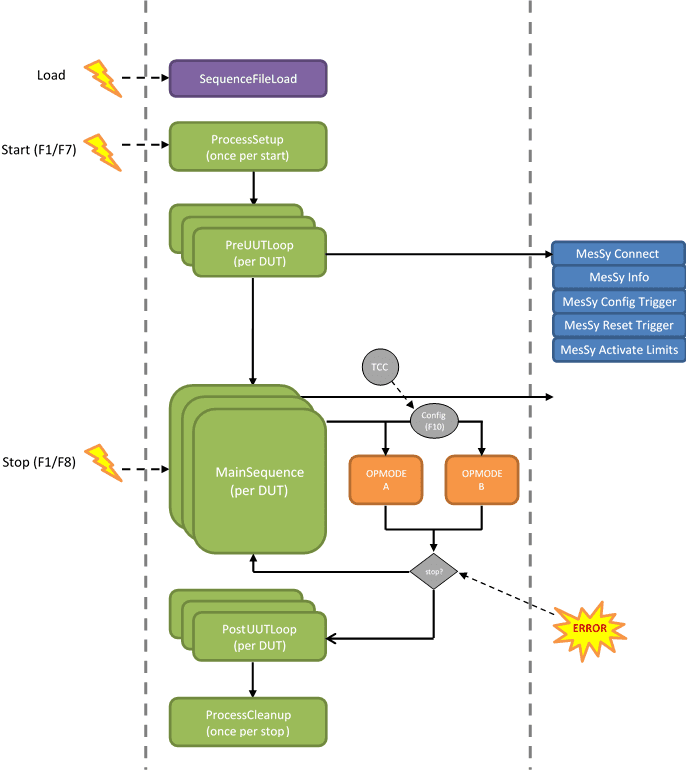
A LTT testplan can be started by GUI (F1/F7) or by TestStand itself (without GUI).
- ProcessSetup is executed. This sequence may be used to initialize shared components, which exist only once and not per DUT.
- Teststand starts a parallel execution for every station. PreUUTLoop typically performs a per DUT setup for each test station / execution.
- MainSequence is called after PreUUTLoop. All stations are synchronized at this point, guaranteeing that all stations start the operation mode at the same time. This also makes sure that all stations run an equal number of cycles.
- MainSequence calls an operation mode sequence, depending on current TCC value and configuration (F10). The OpMode is executed in parallel for each station.
- When running with GUI, the testplan will endlessly call the current operation mode sequence until a stop condition is met. When running in TestStand the behavior is slightly different.
- When a stop condition is met, the process model will execute the PostUUTLoop sequence per DUT and the ProcessCleanup sequence once.
1.1.4.6.1.1Stop conditions
- Active stop: the testplan issues a stop request by itself (how to).
- TestStand error: If a TestStand step returns an error (for example if a VI call returns an error in the "Error Out" cluster) the execution will terminate.
- TCC input change: The testplan need to actively check for this stop condition (how to). By default a TCC change check is performed only at the beginning of an operation mode sequence. It is up to the user to perform additional TCC change checks during the execution of the operation mode.
- User request (GUI ONLY): by pressing F1 or F7 in GUI. The testplan need to actively check for this stop condition (how to). By default a stop request check is performed only at the beginning of an operation mode sequence. It is up to the user to perform additional stop request checks during the execution of the operation mode.
Note: if there are no more intermediate stop checks, it may take a long time between the stop request and the actual stop! - Limit error max reached (GUI ONLY): when a limit test for a specific limit has failed the number of times configured in F6, the GUI will stop the test.
- Max. runtime reached (GUI ONLY): when the test ran for the time configured in F10 the GUI will stop the test.
Running Without GUI
You can run your testplan without GUI.
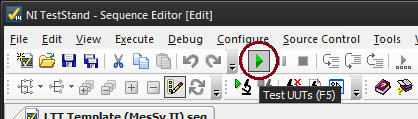
Just press the green arrow button in TestStand after you have loaded your testplan.
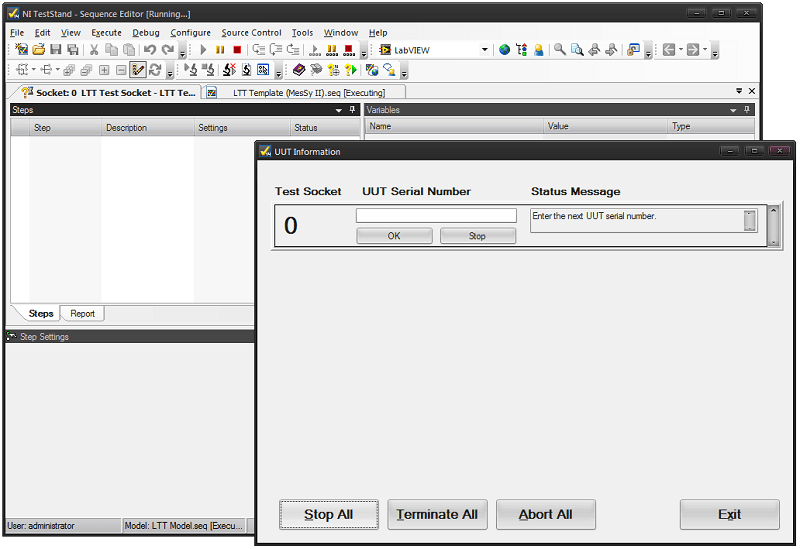
First the ProcessSetup and PreUUTLoop sequences will execute. The latter one will connect to your MesSy (only if MesSy is enabled in StationGlobals). After a while the default TestStand UUT Information dialog will appear. You are limited to one DUT. You can ignore the UUT Serial Number input and just press OK to go on with your testplan.
Now the MainSequence will run. It will call one of your existing operation mode sequences depending on the current TCC value and how you have mapped it (read chapter Order of execution for more details). After a fresh installation there is a default mapping to the one and only operation mode [insert name] when the (simulated) TCC returns 0.
To make your testplan execute a certain operation mode when running standalone in TestStand you need to configure a mapping in LTT GUI F10 dialog and make sure that your TCC (simulated or real) returns the correct value.
For a correct operation some variables also need to be set, which will normally be done by LTT GUI. You need to set the MesSy V2 StationID or MesSy V1 Bus/Slot variables manually (read chapter MesSy integration).
The best place for setting variables manually is in PreUUTLoop. There is already a Statement step placed, with some commented out code. Just uncomment it and set the variables according your needs.
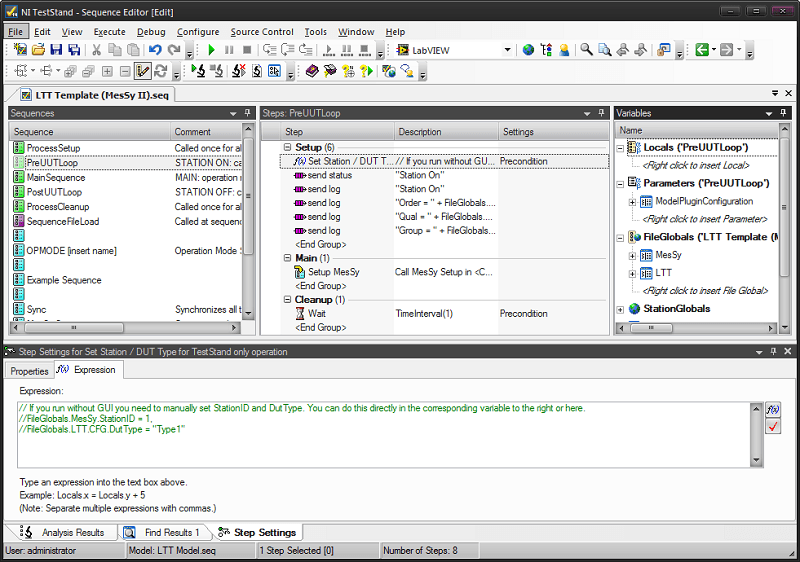
When the operation mode sequence has finished, the execution will pause and you need to manually resume it again in the UUT Information dialog or terminate the execution.
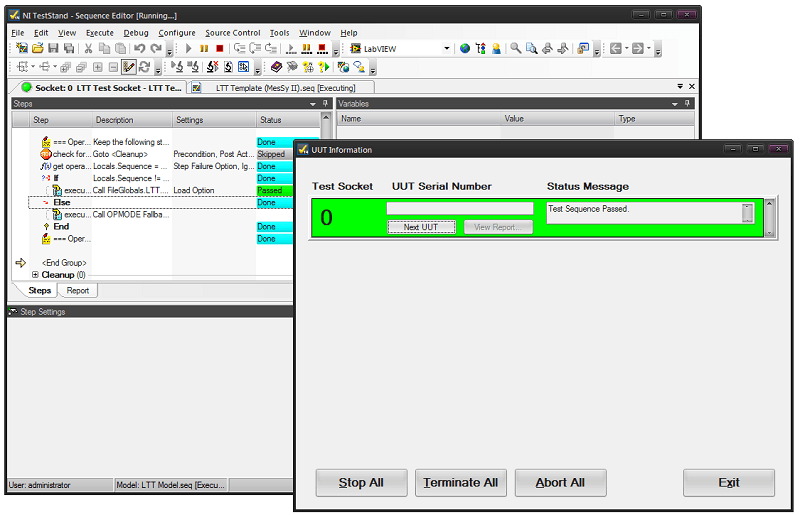
When you press Next UUT and then OK, the operation mode will start again. You can change the TCC value in between to switch to another operation mode as long as you have mapped it in LTT GUI.
When you press Exit the PostUUTLoop and ProcessCleanup sequences are called and the execution stops.
If you want to stop the execution during an operation mode you can press Terminate in the UUT Information dialog.