# Hardware
URL: https://irs.systems/en/docs/position-sensor-simulation-fs/hardware
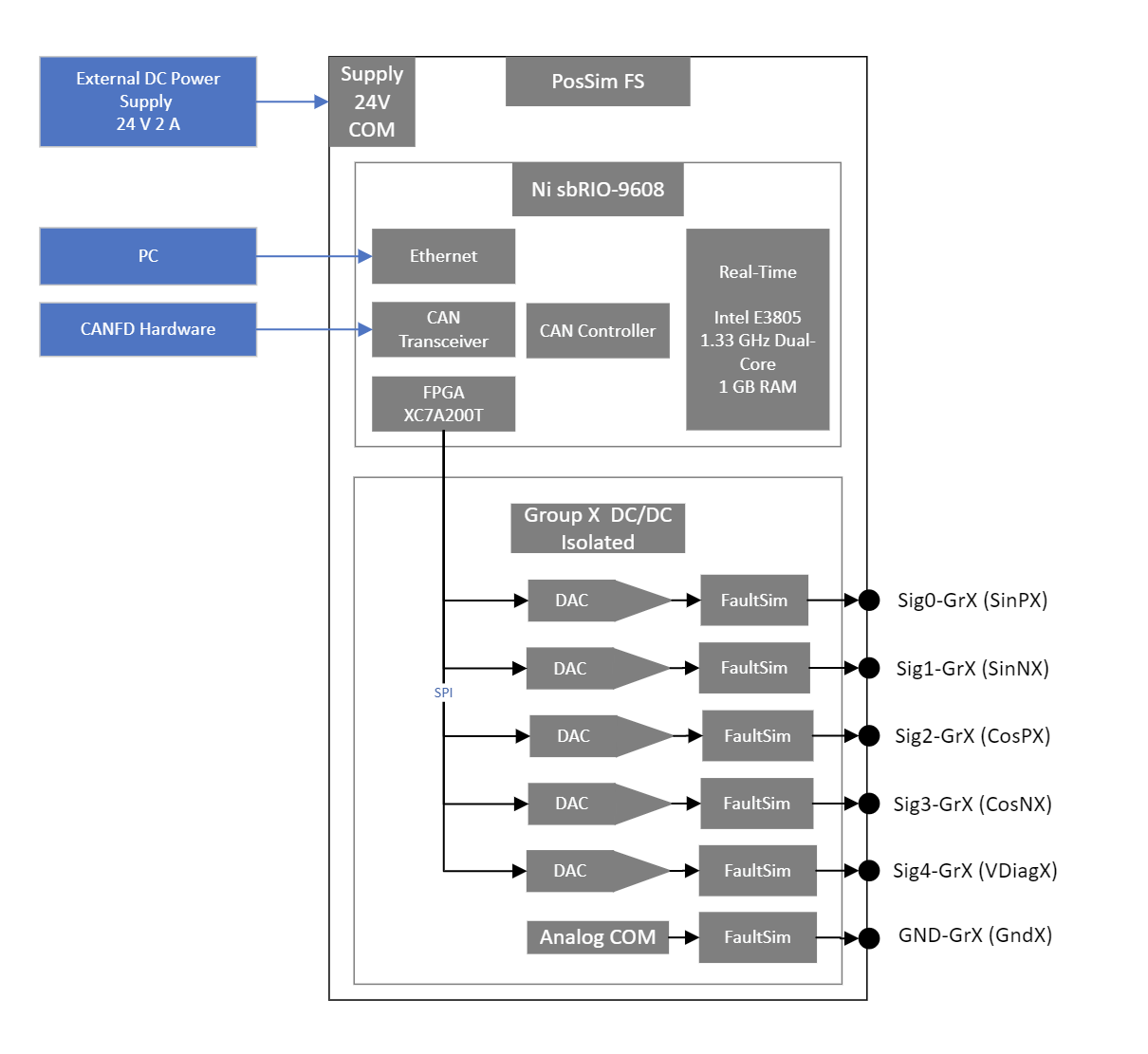
## Block diagram of PosSim FS
Figure 1: PosSim FS HW Overview
General setup:
- PosSim FS needs 24 V 2A power supply on PWR/GND
- Ethernet connection to the higher-level system. Control and configuration is possible entirely via Ethernet.
- CAN FD connection to the higher-level system. Control is fully possible. Ethernet communication is also required for configuration and update.
- Every group is isolated against each other, against system power supply and against housing.
- PosSim FS is available as either 10 channel , 20 channel or 30 channel version. Each channel group has 5 channels. If two groups are used together (Dual Mode), the respective gnds of the two groups must be connected.
## Connector pinning
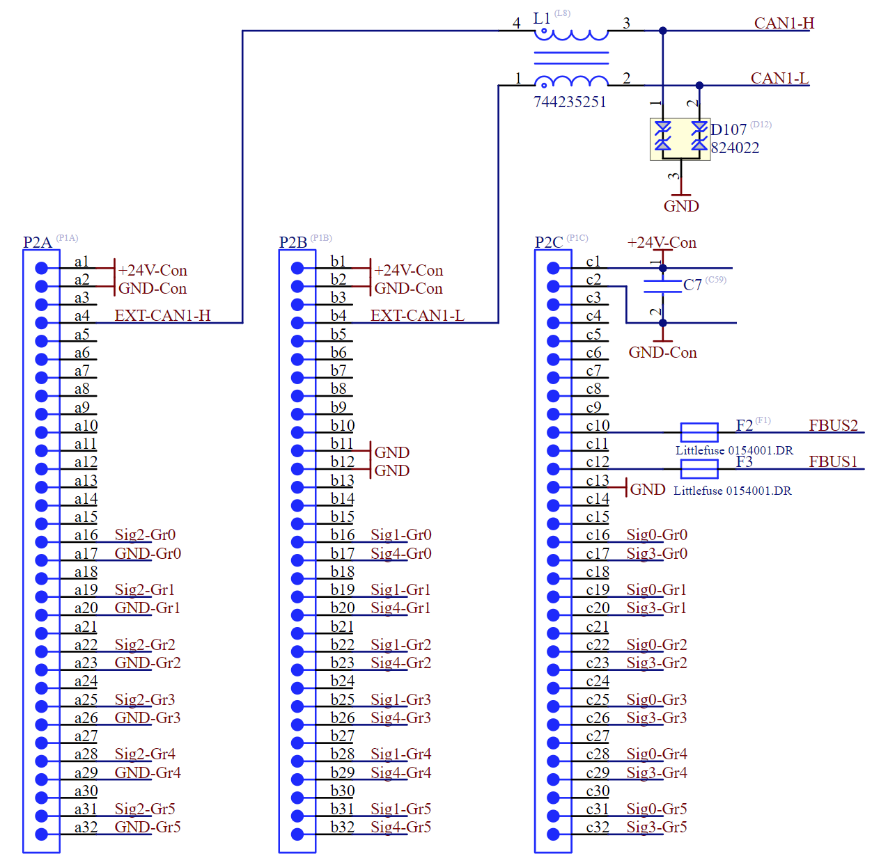
| Interface | Signal | Pin | Recommended wire |
| --- | --- | --- | --- |
| Module Power | PWR | A1, B1, C1 | 0,5 mm² |
| Module Power | GND | A2, B2, C2 | 0,5 mm² |
| Fault Simulation | FBus1 | C12 | 0,5 mm² |
| Fault Simulation | FBus2 | C10 | 0,5 mm² |
| CAN FD | CAN L | B4 | 0,14 mm² … 0,5 mm² |
| CAN FD | GND | B11 | 0,14 mm² … 0,5 mm² |
| CAN FD | CAN H | A4 | 0,14 mm² … 0,5 mm² |
| Interface | Remarks |
| --- | --- |
| Module Power | Connect at least 1 pin (without fault simulation), connect all 3 pins (with fault simulation) |
| Fault Simulation | Fuse 1 A (Short to Battery/GND) |
| CAN FD | Twisted pair cable required, no terminating resistor |
**Analog Output** — recommended wire: 0,14 mm² … 0,5 mm². Twisted and/or shielded cable can be used (for longer distances or EMC problematic environments).
| Signal | Pin |
| --- | --- |
| **Sig0-Gr0 (SinP1)** | **C16** |
| Sig1-Gr0 (SinN1) | B16 |
| Sig2-Gr0 (CosP1) | A16 |
| Sig3-Gr0 (CosN1) | C17 |
| Sig4-Gr0 (VDiag1) | B17 |
| GND-Gr0 (Gnd1) | A17 |
| **Sig0-Gr1 (SinP2)** | **C19** |
| Sig1-Gr1 (SinN2) | B19 |
| Sig2-Gr1 (CosP2) | A19 |
| Sig3-Gr1 (CosN2) | C20 |
| Sig4-Gr1 (VDiag2) | B20 |
| GND-Gr1 (Gnd2) | A20 |
| **Sig0-Gr2 (SinP3)** | **C22** |
| Sig1-Gr2 (SinN3) | B22 |
| Sig2-Gr2 (CosP3) | A22 |
| Sig3-Gr2 (CosN3) | C23 |
| Sig4-Gr2 (VDiag3) | B23 |
| GND-Gr2 (Gnd3) | A23 |
| **Sig0-Gr3 (SinP4)** | **C25** |
| Sig1-Gr3 (SinN4) | B25 |
| Sig2-Gr3 (CosP4) | A25 |
| Sig3-Gr3 (CosN4) | C26 |
| Sig4-Gr3 (VDiag4) | B26 |
| GND-Gr3 (Gnd4) | A26 |
| **Sig0-Gr4 (SinP5)** | **C28** |
| Sig1-Gr4 (SinN5) | B28 |
| Sig2-Gr4 (CosP5) | A28 |
| Sig3-Gr4 (CosN5) | C29 |
| Sig4-Gr4 (VDiag5) | B29 |
| GND-Gr4 (Gnd5) | A29 |
| **Sig0-Gr5 (SinP6)** | **C31** |
| Sig1-Gr5 (SinN6) | B31 |
| Sig2-Gr5 (CosP6) | A31 |
| Sig3-Gr5 (CosN6) | C32 |
| Sig4-Gr5 (VDiag6) | B32 |
| GND-Gr5 (Gnd6) | A32 |
*Table 2: Electrical pinning*
Note: For DUTs that require 8 signals, group 1 and 2 or group 3 and 4 or group 5 and 6 can be connected to each other via software. Any combination is possible. The assignment of the signals is fixed and cannot be changed.
### Connector assignment
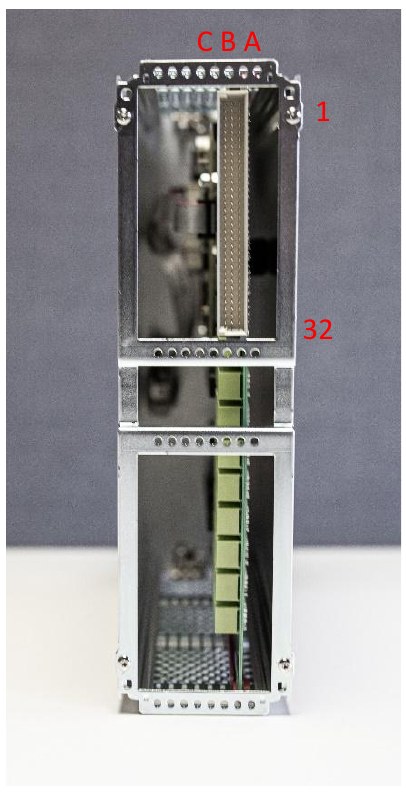
Following figure shows the alignment of the connectors from rear view:
Figure 2: PosSim FS rear viewFigure 3: Connector assignment
### Ethernet connector
Ethernet connection for communication with the higher-level system is performed via ethernet. Use at least CAT5 patch-cables with RJ45-connector. 1000 Base-T can be handled, but for typical applications 100 Base-T will suffice.
### CAN connector
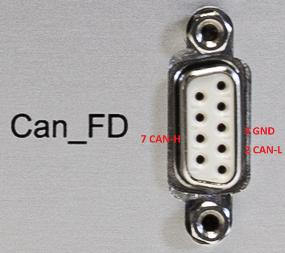
The PosSim FS system is equipped with a d-sub connector on the front and a VG96 connector on the rear for CAN communication. The d-sub assignment corresponds to the standard. GND line mandatory.
- **Pin2**: Can-L
- **Pin3**: GND
- **Pin7**: Can-H
Figure 4: PosSim FS CAN-FD connector
### Mating system connector
The following components may be used for the mating connector on the test system. Different versions for crimping or soldering from two manufacturers can be found in the following table.
| Item | Order Number | Manufacturer |
| --- | --- | --- |
| Connector housing for crimp | `09 03 096 3214` | Harting |
| Connector Crimp | `09 02 000 8484` | Harting |
| Connector housing for soldering | `214836` | ERNI |
| Connector housing for crimp | `024069-E` | ERNI |
| Connector Crimp | `464772-E` | ERNI |
*Table 3: Connector order numbers*
### Integration in subracks
The PosSim FS is integrated in a cassette with the dimensions 6 U x 14 HP x 227 mm. A subrack is required for installation in a 19 inch rack. For example, EuropacPRO from nvent Schroff can be used here. A 6U rack is required for the PosSim FS. Type H-LD module rails are required on the front (top and bottom) so that the handles can snap into place. At the rear (top and bottom), module rails type H-MZ with Z-rails are required. The Z-rails allow the mating connector to be attached directly to the rails. You also need guide rails with end pieces.
If a ready-made subrack is required, IRS can provide a quotation for this.
### Desktop housing
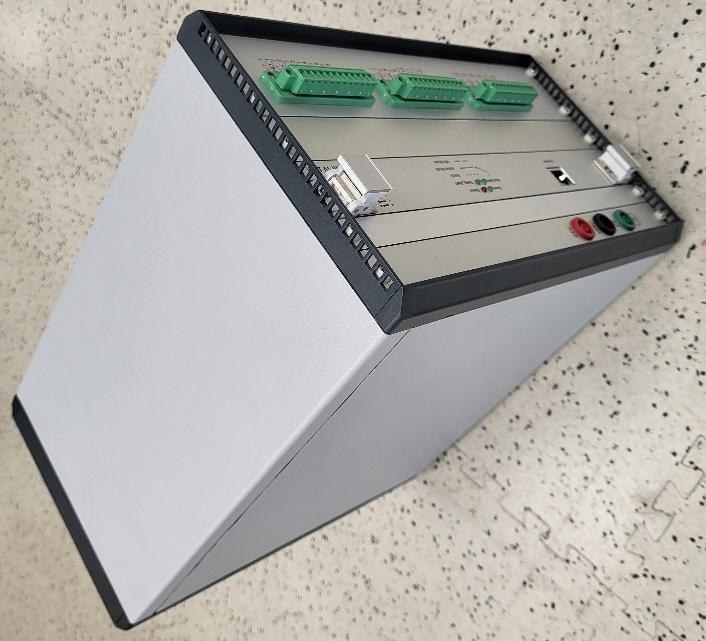
The PosSim FS can also be integrated into a desktop housing for laboratory use. This is equipped with a 230 V mains connection and an active fan.
Figure 5: Example desktop housing for PosSim FS
## Dimensions
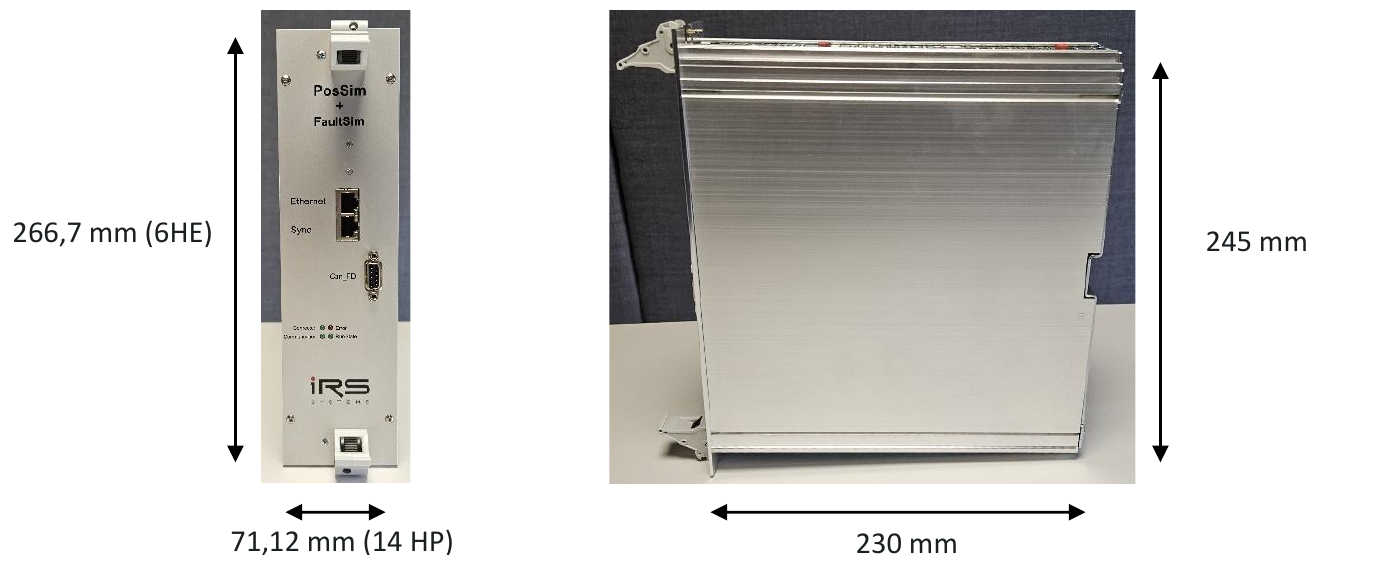
PosSim FS is designed on a 220mm (B) x 230mm (H) (6HU) card. The following figure shows the board dimensions in the cassette.
Figure 7: PosSim FS front view (left) · Figure 6: PosSim FS side view (right)
## Technical data
### General
The following environmental parameters must not be exceeded when operating PosSimFS.
| Item | Min | Typ | Max | Units | Remarks |
| --- | --- | --- | --- | --- | --- |
| **Ambient Temperature** | 0 | 22 | 50 | °C | non condensing |
| **Supply Voltage** | 23 | 24 | 25 | V | PWR to GND |
| **Supply DC Current @ 24V** | 500 | 520 | 1000 | mA | |
| **Supply Inrush Current** | | 5 | 6 | A | Inrush current for approx.2ms |
*Table 4: Technical data for operation*
### Output 1...30
The following data holds for all output channels.
| Item | Min | Typ | Max | Units | Remarks |
| --- | --- | --- | --- | --- | --- |
| **Sample Rate** | | 1 | | MS/s | |
| **DAC resolution** | | 16 | | Bit | |
| **Output voltage range** | 0,01 | | 5 | V | Analog Out xx to GND Out xx |
| **max. output current** | 0 | | 15 | mA | at full output voltage swing |
| **short circuit output current** | | | 80 | mA | |
| **DC accuracy** | | 0,1 | 0,2 | % | |
| **Output resistance** | 10 | 10 | | Ohm | |
| **Rise/Fall time** | | 0,6 | 1 | µs | Step 0V to +5V |
*Table 5: Technical data for output*
## Signal curves
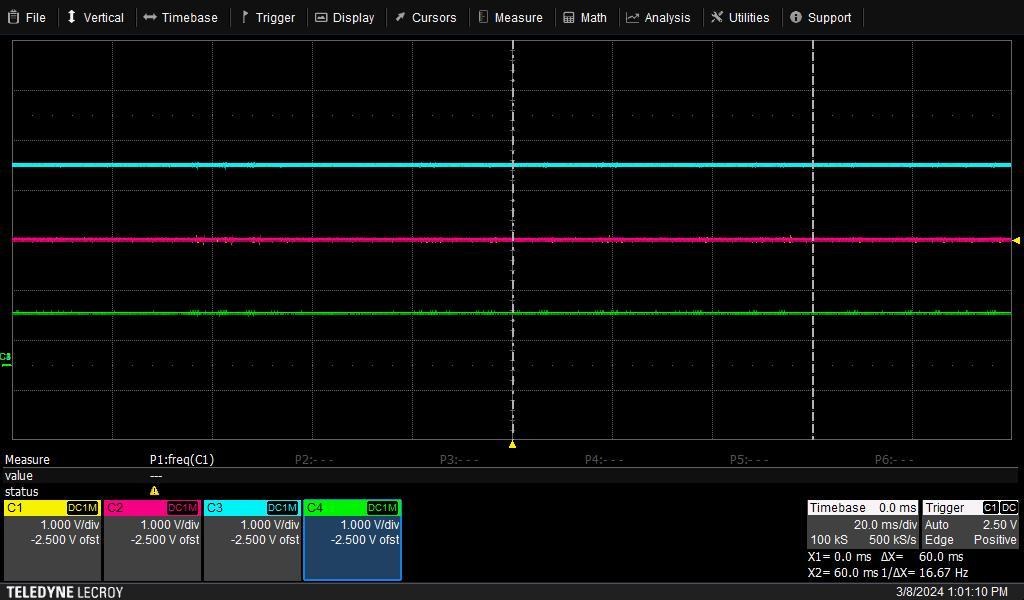
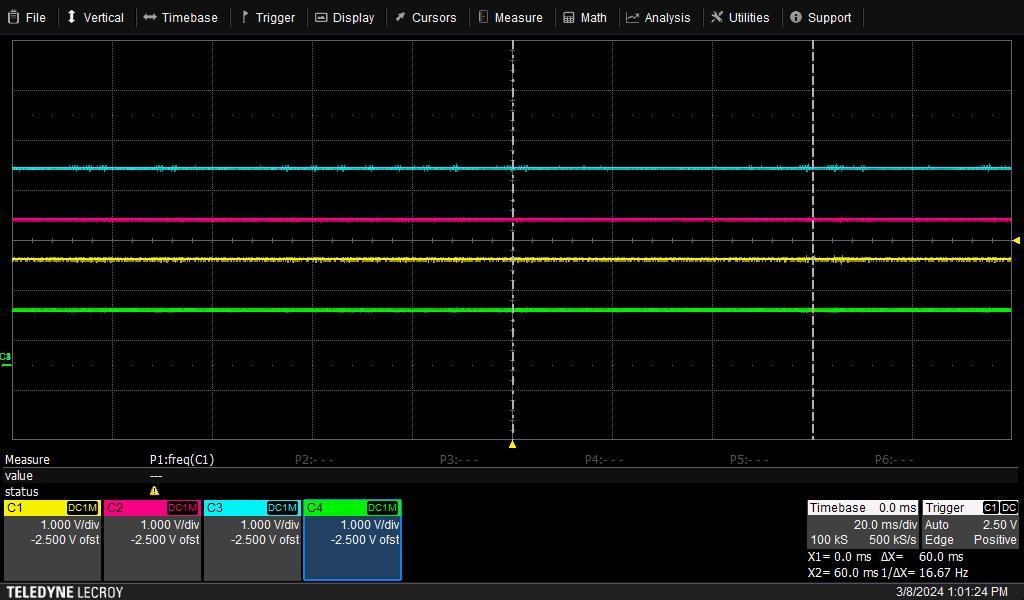
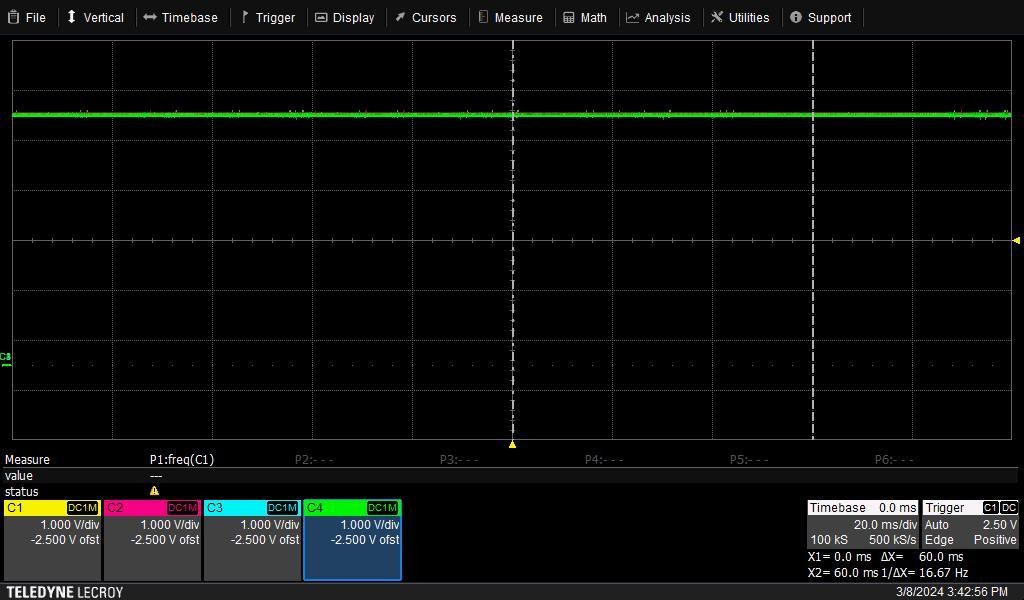
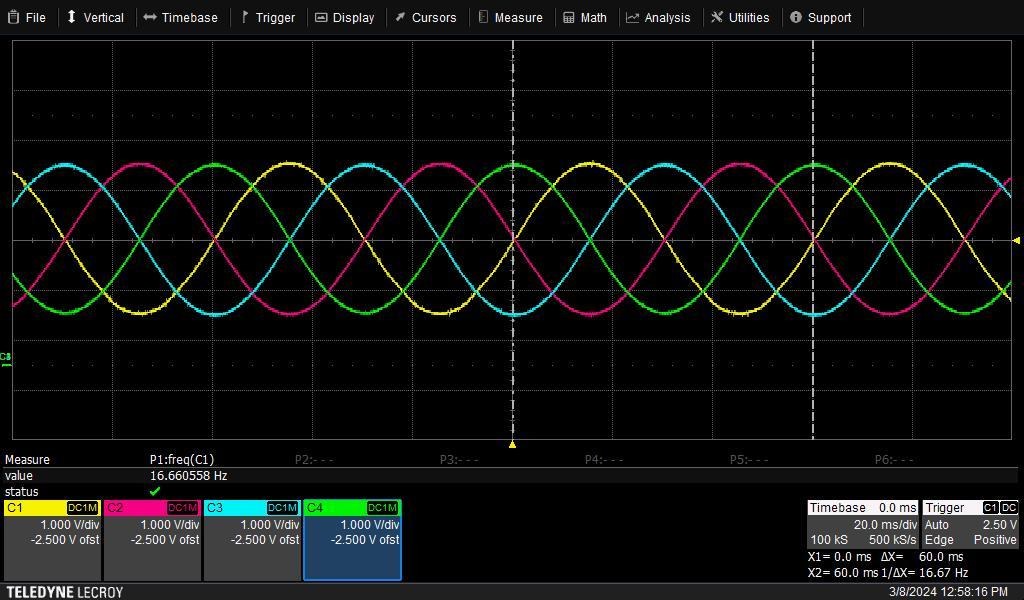
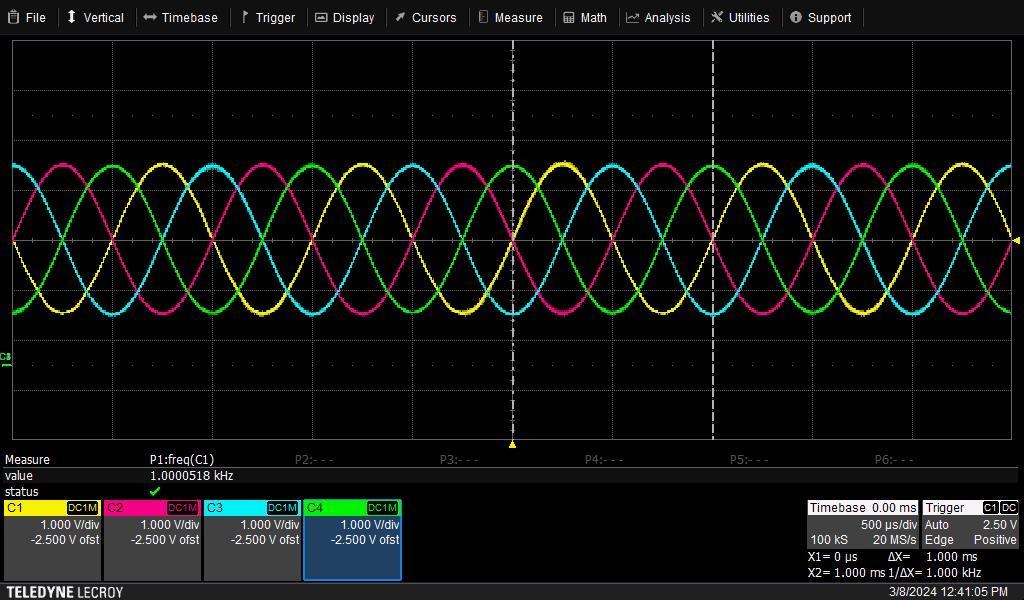
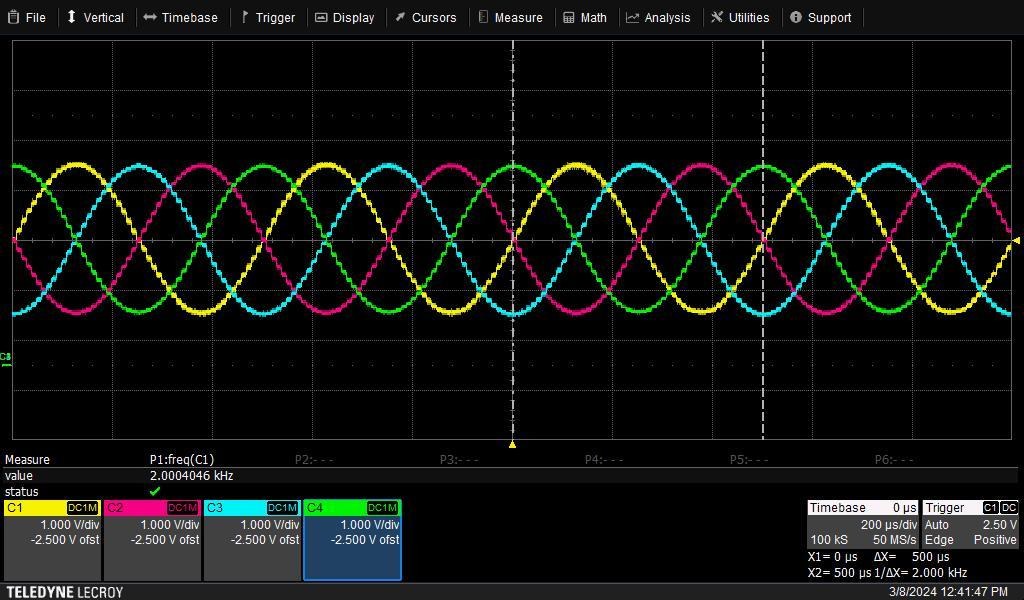
C1Y: SinP ; C2M: SinN ; C3C: CosP ; C4G: CosN
Figure 8: Signal curve – 0 RPMFigure 9: Signal curve - 0 RPM 90°Figure 10: Signal curve - V Stativ 5 VFigure 11: Signal curve - 1000 RPMFigure 12: Signal curve - 60000 RPMFigure 13: Signal curve - 120000 RPM